LumoraFHD – new skin for OpenBH 6.0 (first beta)

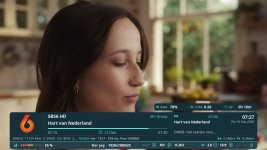
Ok, I see. I actually prefer to keep the infobar simple, as it's only displayed for a few seconds. Therefore I designed second infobar better for the current epg details on a larger screen and not as an extended main infobar.
I could prepare a new infobar with more details and make it optional in the style menu.
 
@tud2007

Thank you very very much of your work out!

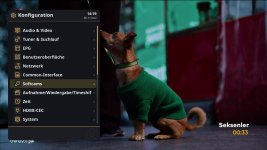
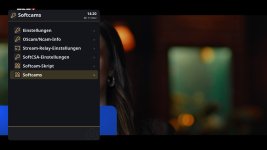
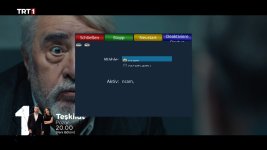
I tried it

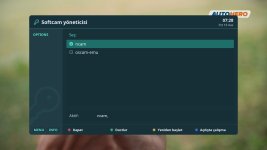
* Openvix softcam lines is okey now.
* I saw Tx/Rx added. Transmitting/Receiving for which purpose?
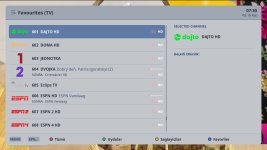
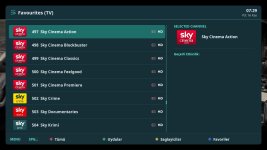
* Can you add PIG for channel list? Maybe Some people need it.
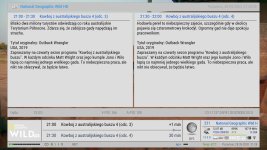
* Is it possible second infobar and EPG infobar at the same time in one screen? (I added a screenshot what i mean)
 

Attachments

  • screenshot (15).jpg
    screenshot (15).jpg
    267 KB · Views: 18
  • 6.jpg
    6.jpg
    129.7 KB · Views: 19
  • 5.jpg
    5.jpg
    226.1 KB · Views: 18
  • 4.jpg
    4.jpg
    134.2 KB · Views: 17
  • 3.jpg
    3.jpg
    88.3 KB · Views: 16
  • 2.jpg
    2.jpg
    169.9 KB · Views: 19
  • 1.jpg
    1.jpg
    173.7 KB · Views: 18
Hi,
I just took the extended details from other skins. Personally, I don't use any of them myself.
Regarding the second infobar, there are many possible combinations. I might add some more once I check the xtraEvent plugin. As said I don't use many plugins on images yet.
PiG (mini TV) in channel list shouldn't be actually necessary, as the screens aren't fully covered. I provided therefore the option to adjust some transparency in style plugin if that helps, too.
 
@tud2007

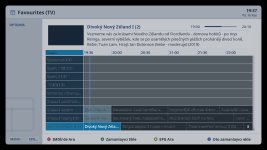
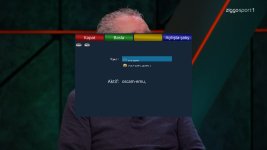
I have forgotten to say something concerning skin epg panel.

Color style stays at default style whatever panel epg style are.

I attached a picture of that bug. I tried it with 0.1.0 and 0.2.0 (vix image)
 

Attachments

  • 1_0_19_3CF1_C95_3_EB0000_0_0_0_20261116193706.jpg
    1_0_19_3CF1_C95_3_EB0000_0_0_0_20261116193706.jpg
    181.3 KB · Views: 10
Back
Top