5.6 Full Backup not created

NotLikeSomeone

Active member
I just installed 5.6 in my Ultimo4K in multiboot, in a secondary slot. But the FUll Backup doesn't work.
I tried several locations, included the SSD itself, and the FB only creates the temp folders but no temp file is created. It shows 18% when it is actually doing nothing.
Has anyone else experienced this important issue?
 
I confirm: either manually launched or automatically (by its programming options) the full backup is no longer performed. I'll try, as soon as possible, if the same issue occurs to the image in slot 1.
 
Well I have done a full backup on my Ultimo4K from slots 32, 33 and 34 and flashed 1 of them to slot 1, during the extensive testing I did before we released 5.6

Depending on what you have installed, a full backup can take a long time to complete.
 
It's not a question of time: I left it running for minutes and minutes in the SSD and I've performed hundreds of FBs: they've always taken 3 minutes and a half.
But, not only that: as I said, also the scheduled one (at 1:00 amin the night) prompts me, in the morning, with the error message that the backup failed.
So it's not a matter of time or of device.
 
I was really doubtful that the problem was the fact tthat I configured the new 5.6 restoring the personal backup configuration of my 5.5.x... Anyway, I tried the same: I installed 5.6 in the 3rd slot, I didn't restore any personal configuration and I tried again: the Full Backup get stucked, without even creating the temp root file (only the subfolders are created).
This happes either with the NAS or the internal SSD.
My doubt is that this issue might affect only images installed in Multiboot or the Ultimo4K.
Surely, a friend told me that he tested 5.6 for the Ultimo4K but not in Multiboot, for an image installed as Standard, instead.
He couldn't try Ultimo4K in Multiboot in a secondary slot.
If you coders could try this scenario, it'd be very important, as FB is vital.
Thanks.
 
I was really doubtful that the problem was the fact tthat I configured the new 5.6 restoring the personal backup configuration of my 5.5.x... Anyway, I tried the same: I installed 5.6 in the 3rd slot, I didn't restore any personal configuration and I tried again: the Full Backup get stucked, without even creating the temp root file (only the subfolders are created).
This happes either with the NAS or the internal SSD.
My doubt is that this issue might affect only images installed in Multiboot or the Ultimo4K.
Surely, a friend told me that he tested 5.6 for the Ultimo4K but not in Multiboot, for an image installed as Standard, instead.
He couldn't try Ultimo4K in Multiboot in a secondary slot.
If you coders could try this scenario, it'd be very important, as FB is vital.
Thanks.
Read post 3 above
 
1) It's not a matter of time, because I leave it working in background. After a long time I get the error message the process failed.
2) Despite the 18% displayed, I can check it does not create the temp file by Filezilla as it has always done before.
This means that the only attempt left is to reinstall the WHOLE image, reflashing also the recovery image? I'll do it, when I'll have time... but meanwhile, for your information, I did another try: I choose to reboot into the Recovery Slot (Slot 0) and I launched the FB from there: apparently it was performed (the temp file correctly created and eventually turned into the zip file) but I got an error at the end of the process:
Errore: [Failure instance: Traceback: <class AttributeError>: "NoneType' object has no attribute 'backupstop'
/usr/lib/python3.13/site-packages/twisted/python/threadpool.py:269:inContext
/usr/lib/python3.13/site-packages/twisted/python/threadpool.py:285:<lambda>
/usr/lib/python3.13/site-packages/twisted/python/context.py:117:callWithContext
/usr/lib/python3.13/site-packages/twisted/python/context.py:82:callWithContext
/usr/lib/enigma2/python/Plugins/SystemPlugins/OBH/lmageManager.py:1567:BackupComplete
 
May I know the command to try a FB?
I know that the command to backup a single slot is

tar -czf /media/hdd/linuxrootfsX.tar.gz /linuxrootfs

for any slot X.
Is this the FB command? I'd like to give a try to this way of performing a FB.
Thanks in advance.
 
I knew it was a 5.6.001 and .002 bug: now the .003 FullBackup works and the kernel error for installing the Multiboot mode disappeared. At least with Ultimo4K I knew it was just an unlikely my problem...
I have too many year of advanced experience in IT in general and in BH/OpenBH images specifically to believe such bugs might be due to my environment.
5.6.003 has neither of the two bugs. Finally.
 
  • Like
Reactions: Ev0
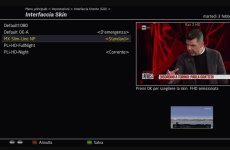
on the other hand, the programming has disappeared from the default infobar skin...
ISSUE, rai3, chi l'ha visto...
No need to keep posting the same thing all over the board.

Do you have screenshot to show what the issue actually is?

1_0_19_D4B_1450_13E_82ADF6_0_0_0_20260203201623.jpg
 
Just facts, not suppositions. If you look in the Italian section, you'll find the same problem explicitly reported. (Not by me.) I wouldn't want the skin that worked with all previous releases to be modified and no longer compatible with release 6.3. Also because when flashing online, the software backs up the CFG files, which are restored after the flash image. And this could be where the problem arises.

Tomorrow I'll also try on the ultimo 4K, so in addition to the skin, software, and more, we also have the same hardware.
Not (No) configuration restore

Bye
 
Back
Top