chadmanfoo
Member
I recently installed a fresh flash of OBH 5.6 on my Vu+ Uno 4K SE and cannot get LCD4Linux to work. I am using the same config that I used on 5.2 which worked flawlessly.
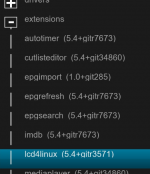
The first thing I noticed is that LCD4Linux doesn't appear to be included in the 5.6 image. I had to install this manually from the feeds. When installed however, it does not appear to write to the front panel. As you can see in my images, I've applied the config which displays correctly in OpenWebIf and the LCD4Linux UI setting, but the actual LCD panel is still displaying the default config. Nothing I do with the config seems to make a difference.
I have tried downloading the 5.6 image fresh and re-flashing but this did not help.
Is LCD4Linux no longer supported in 5.6 or am I missing something here? I'd really appreciate some help with this.
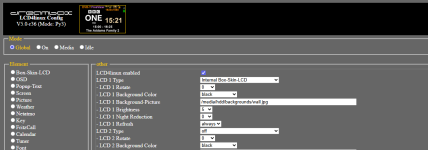
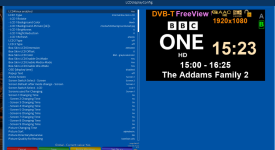
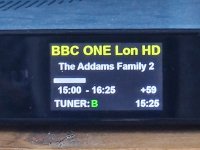
The first thing I noticed is that LCD4Linux doesn't appear to be included in the 5.6 image. I had to install this manually from the feeds. When installed however, it does not appear to write to the front panel. As you can see in my images, I've applied the config which displays correctly in OpenWebIf and the LCD4Linux UI setting, but the actual LCD panel is still displaying the default config. Nothing I do with the config seems to make a difference.
I have tried downloading the 5.6 image fresh and re-flashing but this did not help.
Is LCD4Linux no longer supported in 5.6 or am I missing something here? I'd really appreciate some help with this.


 , and if it doesn't resolve the issue, then sadly I have no idea what the issue is.
 I just tried that but it didn't make any difference. The display remains on the default view. Don't spend any more time on this though, mate. It's really not a big enough issue to sweat about. I'll do a full reflash with the next version which might fix the issue. I appreciate all the help.