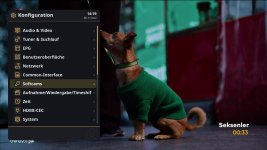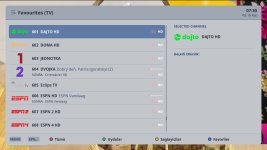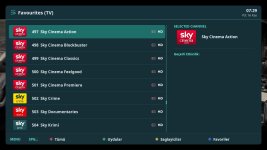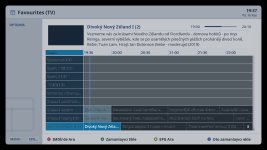
LumoraFHD – new skin for OpenBH 6.0 (first beta)

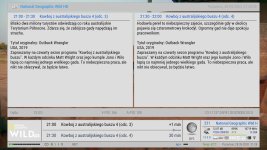
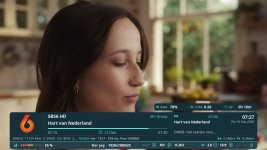
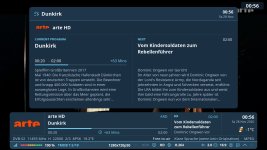
Ok, I see. I actually prefer to keep the infobar simple, as it's only displayed for a few seconds. Therefore I designed second infobar better for the current epg details on a larger screen and not as an extended main infobar.
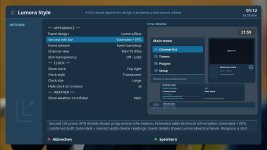
I could prepare a new infobar with more details and make it optional in the style menu.
 
hi,
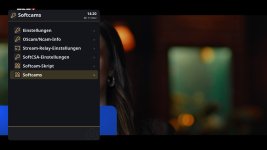
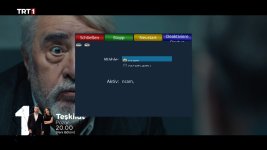
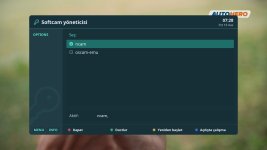
this must be a separate softcams manager plugin, can you check your plugins again? official openbh doesn't have this menu, at least not by me on vu+.
 
@tud2007

Thank you very very much of your work out!

I tried it

* Openvix softcam lines is okey now.
* I saw Tx/Rx added. Transmitting/Receiving for which purpose?
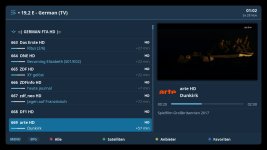
* Can you add PIG for channel list? Maybe Some people need it.
* Is it possible second infobar and EPG infobar at the same time in one screen? (I added a screenshot what i mean)
 

Attachments

  • screenshot (15).jpg
    screenshot (15).jpg
    267 KB · Views: 27
  • 6.jpg
    6.jpg
    129.7 KB · Views: 28
  • 5.jpg
    5.jpg
    226.1 KB · Views: 26
  • 4.jpg
    4.jpg
    134.2 KB · Views: 25
  • 3.jpg
    3.jpg
    88.3 KB · Views: 23
  • 2.jpg
    2.jpg
    169.9 KB · Views: 26
  • 1.jpg
    1.jpg
    173.7 KB · Views: 27
Hi,
I just took the extended details from other skins. Personally, I don't use any of them myself.
Regarding the second infobar, there are many possible combinations. I might add some more once I check the xtraEvent plugin. As said I don't use many plugins on images yet.
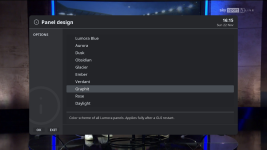
PiG (mini TV) in channel list shouldn't be actually necessary, as the screens aren't fully covered. I provided therefore the option to adjust some transparency in style plugin if that helps, too.
 
@tud2007

I have forgotten to say something concerning skin epg panel.

Color style stays at default style whatever panel epg style are.

I attached a picture of that bug. I tried it with 0.1.0 and 0.2.0 (vix image)
 

Attachments

  • 1_0_19_3CF1_C95_3_EB0000_0_0_0_20261116193706.jpg
    1_0_19_3CF1_C95_3_EB0000_0_0_0_20261116193706.jpg
    181.3 KB · Views: 19
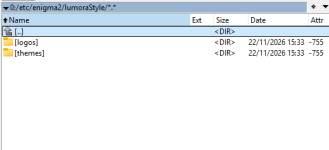
That’s exactly what I did (as in the first post), but after the restart, the skin still doesn’t recognise those themes and colour schemes.
1795363715780.png1795364185679.png
 
OK, I’ve found my mistake!
Instead of “LumoraStyle”, enigma2 changed the name to “lumoraStyle”.
It changed the capital L to a lower-case one. I changed it back manually and it’s working after a restart.
Thanks for the skin!
 
Hello,

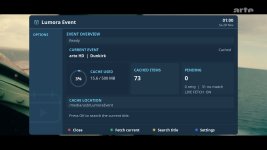
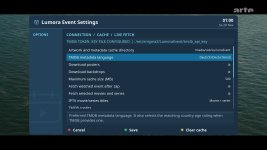
since the XtraEvent plugin is no longer compatible with OpenBH 6.0 and doesn't seem to be supported here anymore, I have implemented own event data manager, LumoraEvent, combined with the Lumora skin and its style plugin.

I'm still testing them with all possible combinations of optional screens, covering both sat and streaming content, including movies and series.

I plan to release both packages this weekend, together with some documentation on how the components are intended to work together.

Here are a few previews of what's coming, prepare your tmdb api token :)
 

Attachments

  • channel_selection_pig.jpg
    channel_selection_pig.jpg
    142.9 KB · Views: 2
  • event_details.jpg
    event_details.jpg
    128.5 KB · Views: 2
  • event_settings.jpg
    event_settings.jpg
    187 KB · Views: 2
  • extended_infobar_epg.jpg
    extended_infobar_epg.jpg
    222.9 KB · Views: 2
  • style.jpg
    style.jpg
    181.2 KB · Views: 2
  • tmdb_details.jpg
    tmdb_details.jpg
    237.4 KB · Views: 2
Back
Top