No, that is an unofficial imageهل هذا الاصدار لا يدعم اضافة الترجمة

No, that is an unofficial imageهل هذا الاصدار لا يدعم اضافة الترجمة

How was it working before? trial? If yes, then subscription will solve itI only see this. Do I need to buy a subscription? Will buying a subscription solve the problem?
I tested it with OpenATV Image for a few hours in May 2024 and then haven't used it since today. Has the trial expired now? I am currently using OpenBH 5.5.1How was it working before? trial? If yes, then subscription will solve it
Yes, the trial is for 15 days started from the first day of activation regardless of which imageI tested it with OpenATV Image for a few hours in May 2024 and then haven't used it since today. Has the trial expired now? I am currently using OpenBH 5.5.1
I would like to purchase the subscription. But I'm not sure if the problem is with the subscription.
Yes, starting from OpenBh 5.4.1.004 AI Translation is included within official plugin feeds.Can I use AI translation on OpenBH 5.5.1 and how much does it cost?
 www.stbzone.com
For all channels that have subtitles with dvb, the subtitles are displayed with a difference of 2 to 3 seconds. Usually the subtitles are 3 seconds ahead or behind the movie. How do I adjust this?Yes, starting from OpenBh 5.4.1.004 AI Translation is included within official plugin feeds.
For subscription you can do it online from this link
STB Zone
Enhance your set-top box (STB) experience by integrating our AP-powered subtitle translation, online channel editor, and STB Cloud services.
Regards.
Is it a recorded movie or a live channel showing a movie?For all channels that have subtitles with dvb, the subtitles are displayed with a difference of 2 to 3 seconds. Usually the subtitles are 3 seconds ahead or behind the movie. How do I adjust this?
For subtitles that are in teletext, everything is fine and accurate.
Live ChannelIs it a recorded movie or a live channel showing a movie?
Hi man, how do we open an account and try the subscription?Big news for Enigma2 subscribers!
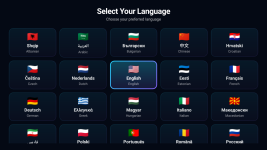
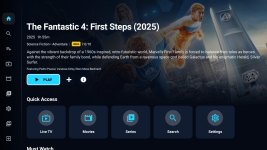
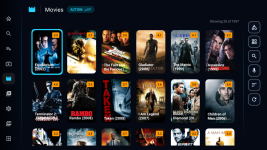
We just launched StreamLens Player — an AI-powered IPTV player for Android TV, and it's completely free for all Enigma2 subscribers.
What's inside:
- AI subtitle & EPG translation in 50+ languages
- Enigma2, Xtream, M3U, Stalker — all in one app
- LensPro video upscaling engine
- Multi-profile & parental controls
Your free access includes:
- Same period as your current Enigma2 subscription
- Up to 3 devices on one account
- Your Enigma2 setup stays completely untouched
How to claim:
- Go to member.streamlensplayer.com and click "Sign in with Enigma2 Code"
- Verify with your activation code + Ethernet MAC address, then create your account
- Download StreamLens Player from Google Play
- Open the app → License → Login with your new account
Members Portal: https://member.streamlensplayer.com
Google Play: https://play.google.com/store/apps/details?id=com.streamlens.player
If you enjoy the app, an honest review on Google Play would mean a lot to us and help other users discover it.
Feel free to ask any questions, and we'll be happy to help!
If you already have an Enigma 2 subscription, then follow the steps in How to Claim. If not, you can download the app, and it has a 7-day free trial without commitment or a credit card. If you like it, you can either buy only the Android App subscription from Google, or you can buy enigma2 subscription to work with Enigma 2 and Android from here https://www.stbzone.com/Home/Subscribe and claim it.Hi man, how do we open an account and try the subscription?