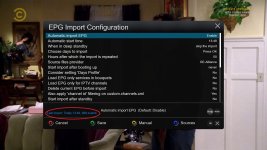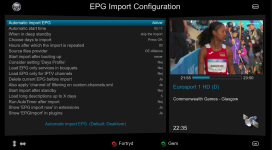
MX Sline / Slim Line

  • Thread starter Thread starter Matrix10
  • Start date Start date
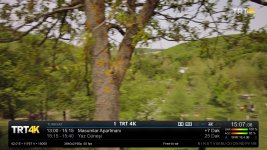
in second infobar, the information is not appearing as before.
Yes, because it was too crowded with unnecessary info, so I changed it according to my taste.
Also, as you may have noticed, those many tuner letters are also missing because I have an Octagon SF8008 with just two tuners.
I had no intention to make these changes public if there was no request for it, so if you like it, use it as it is or you can always go back to original by deleting or renaming the file "skin_user_MX_Slim-Line_NP.xml" at /usr/share/enigma.
 
Yes, because it was too crowded with unnecessary info, so I changed it according to my taste.
Also, as you may have noticed, those many tuner letters are also missing because I have an Octagon SF8008 with just two tuners.
I had no intention to make these changes public if there was no request for it, so if you like it, use it as it is or you can always go back to original by deleting or renaming the file "skin_user_MX_Slim-Line_NP.xml" at /usr/share/enigma.
Ok my friend, thanks for the information.
Regards
 
in second infobar, the information is not appearing as before.
It's possible to put it back as before?
A practical solution came to my mind afterwards for this.
I just deleted the secondinfobar part from skin_user file, so you'll have the old second infobar with 2xOK with this one.
Just unzip and send it to /usr/share/enigma2 replacing the old one, and restart GUI.
 

Attachments

A practical solution came to my mind afterwards for this.
I just deleted the secondinfobar part from skin_user file, so you'll have the old second infobar with 2xOK with this one.
Just unzip and send it to /usr/share/enigma2 replacing the old one, and restart GUI.
Sorry friend @Gold_66, renaming or deleting "skin_user_MX_Slim-Line_NP.xml" the first and the second infobar only shows the channel name, time, and SNR.
It will no longer revert to the original/standard version.
 
Sorry friend @Gold_66, renaming or deleting "skin_user_MX_Slim-Line_NP.xml" the first and the second infobar only shows the channel name, time, and SNR.
It will no longer revert to the original/standard version.
Just delete it from /usr/share/enigma2 folder, restart GUI, and you should go back to standard version.
We changed nothing in original skin.xml file.
 
Just delete it from /usr/share/enigma2 folder, restart GUI, and you should go back to standard version.
We changed nothing in original skin.xml file.
The problem was that there was a file that replaced another one that I don't know which one it was, so I deleted "ico_crypt_off.png" and not "ico_crypt__off.png".
Before I knew that I just had to rename or delete "skin_user_MX_Slim-Line_NP.xml", I did this.
Now I just need to reinstall the openBH 5.6 image.
 
there was a file that replaced another one
No file replaced another one, we didn't touch anything original.
Before I knew that I just had to rename or delete "skin_user_MX_Slim-Line_NP.xml", I did this.
You knew that from the first moment you saw that "Read_Me" file, it's written in there.
Now I just need to reinstall the openBH 5.6 image.
Sorry, but it's ridiculous to re-install the whole image for a missing icon!
At least just uninstall and re-install the skin from feed, if you really need to.
And if it's genuinely for that icon that you deleted (why did you delete it?!) I'm attaching it as a last support.
I can't help you any more than that, because the situations that you describe do not make any sense to me.
 

Attachments

No file replaced another one, we didn't touch anything original.

You knew that from the first moment you saw that "Read_Me" file, it's written in there.

Sorry, but it's ridiculous to re-install the whole image for a missing icon!
At least just uninstall and re-install the skin from feed, if you really need to.
And if it's genuinely for that icon that you deleted (why did you delete it?!) I'm attaching it as a last support.
I can't help you any more than that, because the situations that you describe do not make any sense to me.
Hi friend, you did a great job, you made the skin to your liking, I'd like to do that, but I know it's not easy.
I wish the second infobar (ok/ok) was like it is in the original skin, and then I wanted to revert because it's the default skin and it wasn't possible anymore.
It's not your fault friend, I just like to experiment even though the vu+ zero isn't suitable for many tests, hehe!
Best regards
 
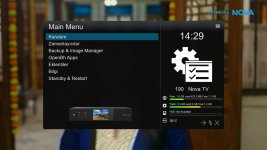
There's no ipk file, those pics are just slightly modified screens of the BH skin MX_Slim-Line_NP.
If anyone wants to try, first switch to that skin, send the included files in the attached zip to the folders indicated in "Read_Me" file and restart GUI.
Thank you
Lovely
Logo, photo layout, Octagon, change, VU DUO 4Kse, brilliant, I’ll do it
 
Back
Top